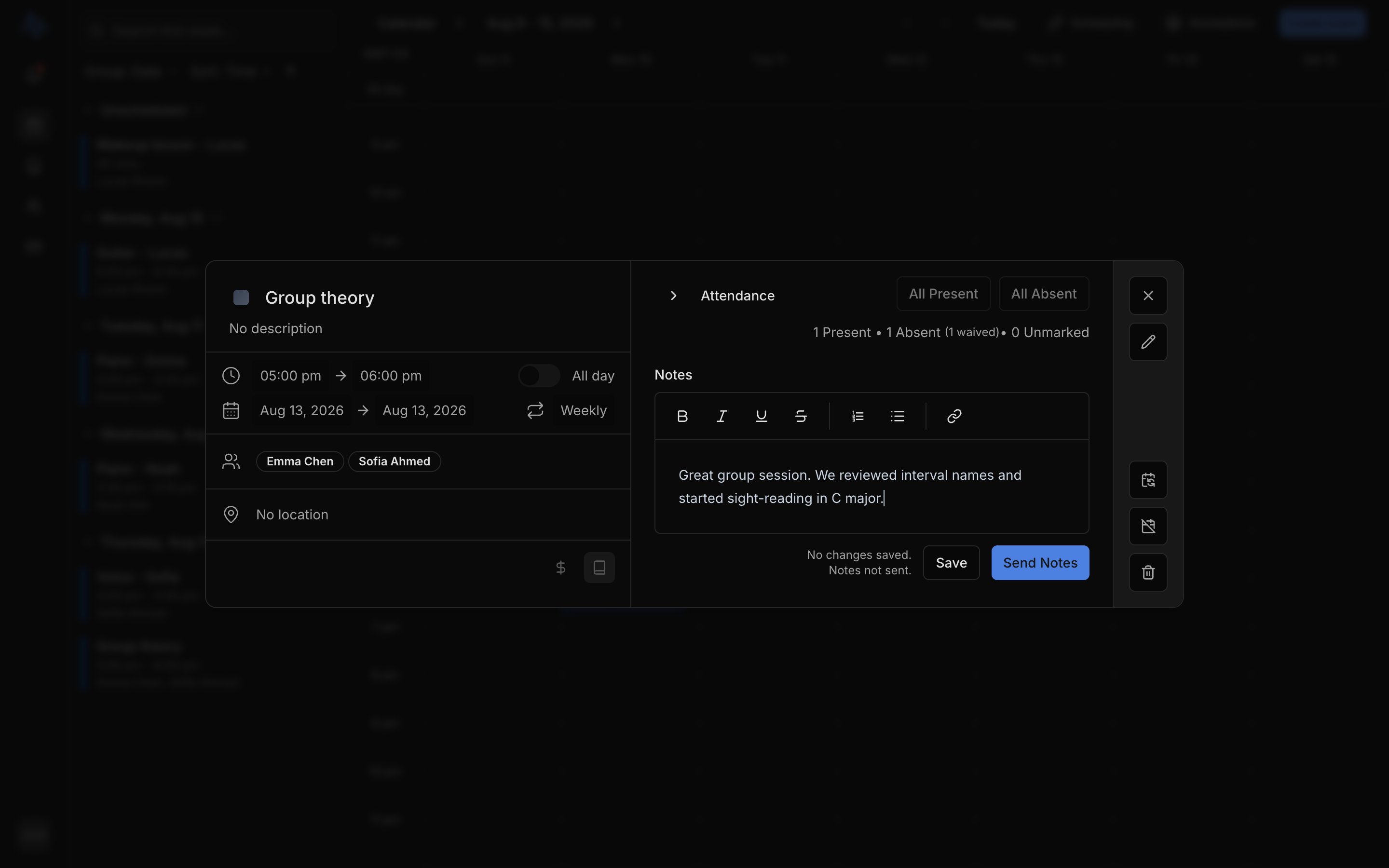
Lesson operations is built into your calendar event.

Mark attendance

  • Present marks the lesson taught. When the lesson has a rate, this creates the charge at that rate.
  • Absent asks one follow-up when the lesson has a rate: Charge them anyway (your no-show policy) or Waive the charge.
  • If the lesson has no rate, both are simple toggles and no money is involved.
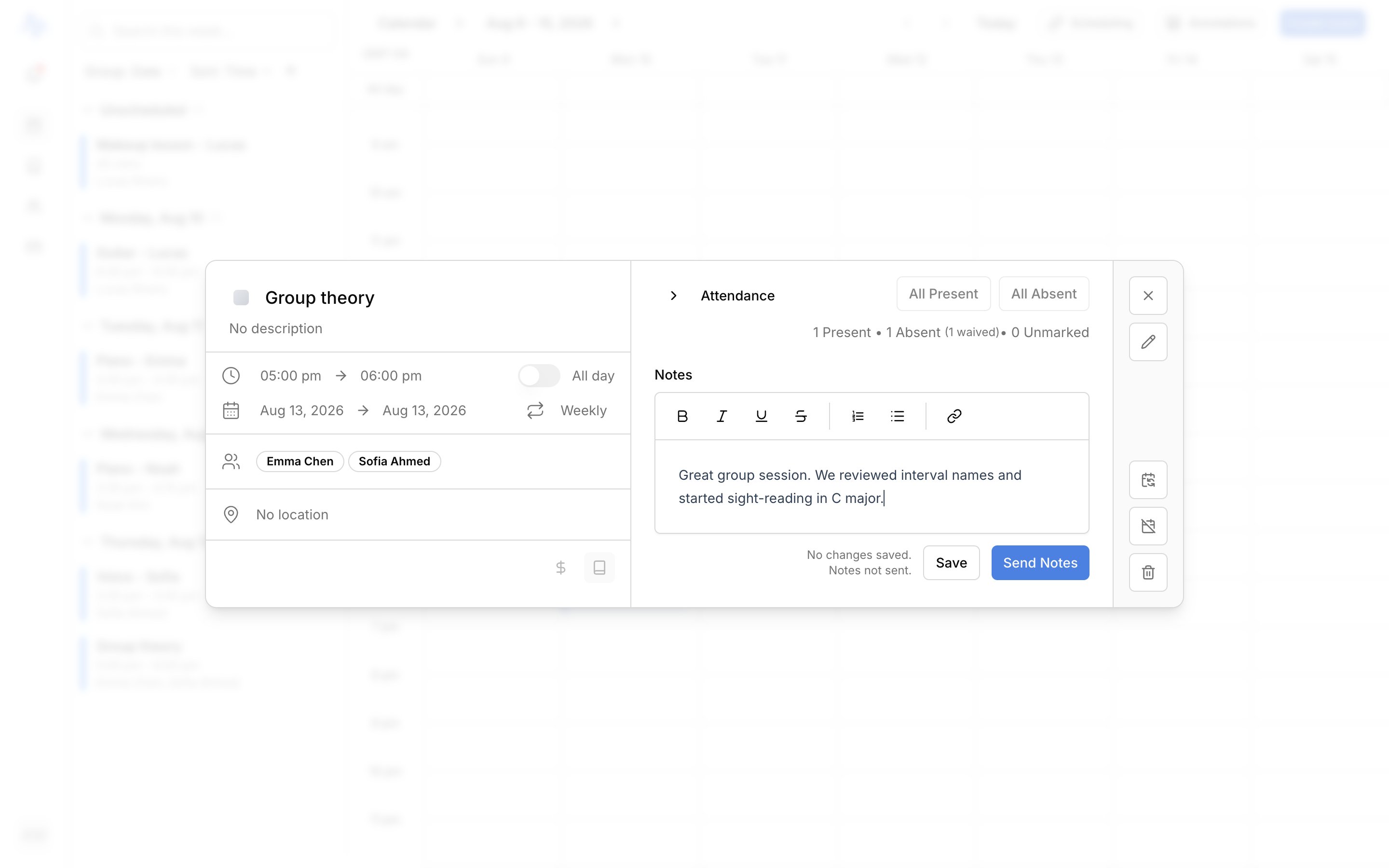
For a lesson with several students, use the bulk actions to mark everyone at once. Unmarking a student reverses their charge.
A saved lesson with the attendance panel, Present/Absent for two students, and the Notes editor with Save and Send Notes buttons below

Add and send notes

Write in the notes editor, then Save to keep the notes to yourself or Send Notes to email them out. Each student’s notes go in one email to their Lesson details contacts. Set who’s in that group on the student’s profile; see Contacts and notifications.