
Profit and loss
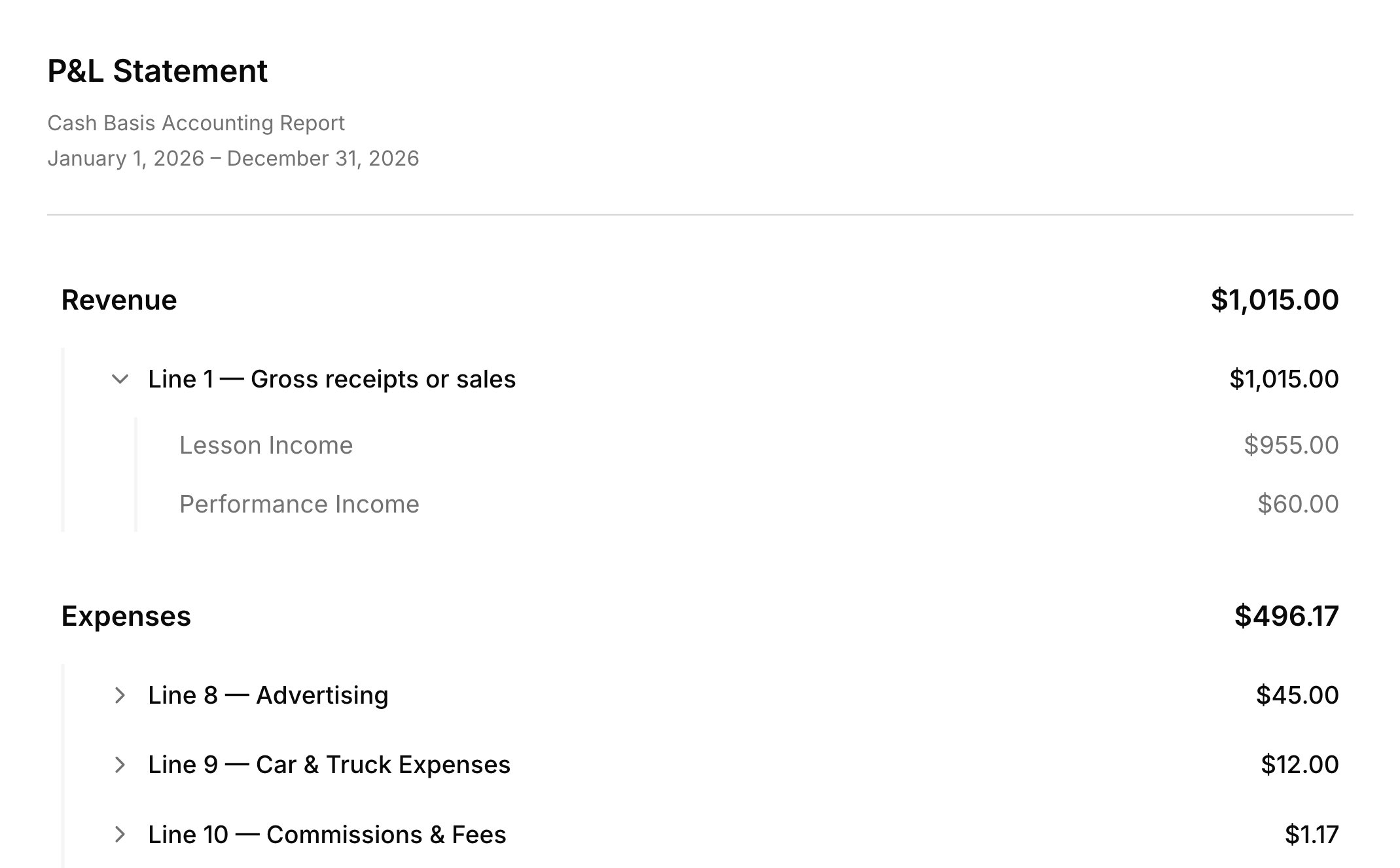
The profit and loss statement shows money in against money out for the dates you pick, so you can see whether the studio made money. Click Create Report in Finances → Reports, choose P&L Statement, and set the dates. Income is the payments you received for lessons and other charges, and expenses are the ones you record. Lines follow Schedule C, the tax form for self-employed income, so your accountant can read it line by line. Click a line to open it, then a category to see the entries behind it.Transaction report
A transaction report lists every entry in a date range: charges, payments, refunds, expenses, and the rest. Choose Transaction Report when you create the report, then use Group by to sort the rows by account, student, month, or another grouping. Each group shows how many entries it holds and their total. There’s no lesson-count report, but grouping by Student shows each student’s charges for those dates. Voided entries stay on the list, struck through, and never count toward the totals; tick Hide voided to leave them out. A report’s type is set when you first save it, so start a new report to switch.Save and export
A saved report keeps its type, dates, and options, not its numbers, so it shows the latest figures every time you open it. Click Save changes to keep a report on the Finances → Reports list. For a fixed copy, or one to send your accountant, use Download as PDF or Export as CSV in the report’s header. Mileage isn’t part of any report; your trips stay in the mileage log.FAQ
Can I give this to my accountant?
Can I give this to my accountant?
Yes. Download the profit and loss statement as a PDF or CSV. It’s cash basis and laid out by Schedule C line, with a reminder to check it with your tax professional before filing.
Does Harness connect to my bank?
Does Harness connect to my bank?
No. Income comes from the payments recorded in Harness, including the ones families make online, and you record expenses yourself.
Why did my old report's numbers change?
Why did my old report's numbers change?
Saved reports show the latest data each time you open them, so a payment or expense recorded, edited, or voided since then changes the totals. Download a PDF or CSV to keep a snapshot.
Why didn't my refund lower my income?
Why didn't my refund lower my income?
Refunds give back money held on the account, which was never counted as income. To take back a paid lesson, use Cancel & refund: voiding the charge lowers your income.
Can I see who owes me and how much?
Can I see who owes me and how much?
Not in Reports. On Finances → Accounts, sort the Balance column to see who owes the most. See Accounts.