

Where charges come from
Harness makes most charges itself, and you add the rest. A charge comes from one of these:- Lessons, charged when you mark attendance.
- Recurring charges, like monthly tuition or an instrument rental, on their dates.
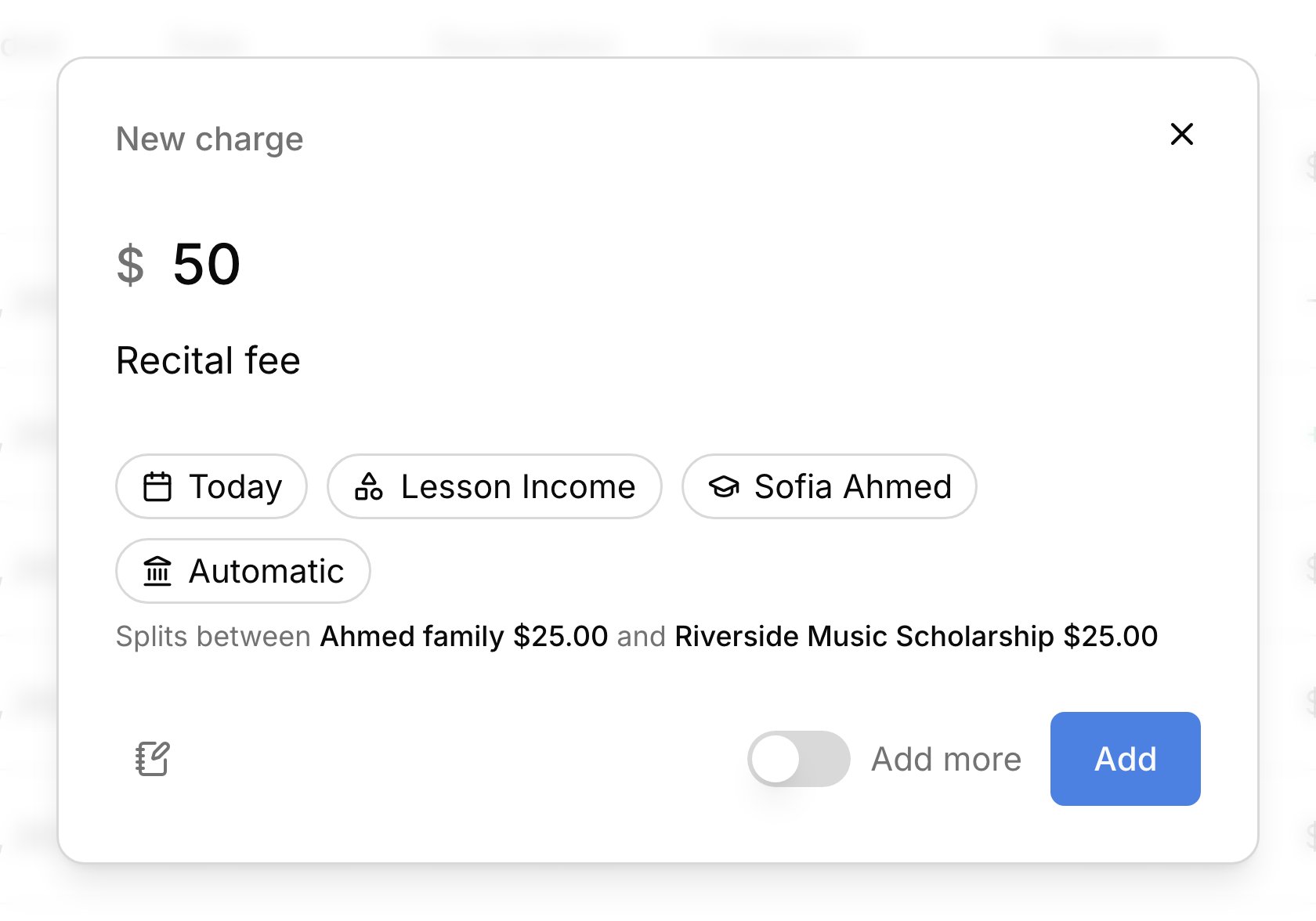
- Extra charges you add, like a book or a recital fee.
- Lines you type on an invoice with Add item, which belong to that invoice only.
- Paid events that aren’t lessons, like a gig. This is a record of income from the event that you then mark paid; it isn’t billed to a family.
Add an extra charge
Add a charge by hand for anything that isn’t a lesson or a regular fee, like reeds, a book, or a registration fee. On Finances → Transactions, click Add Transaction → Charge, or pressc anywhere (see keyboard shortcuts).
1
Amount and description
Enter the amount and what you’re billing for.
2
Who it's for
Under For, pick a student or an account. A student’s charge follows their billing rules. An account is billed directly with no student attached, which suits a school or a fee for the whole family. For a student, Account can put this one charge on a single account instead.
3
Category and date
Pick a category, which is how the income is grouped in your reports. Any date works, past or future, and the charge waits for the account’s next invoice either way.
4
Check and add
The line just above Add shows which account the charge bills, or how it splits. Click Add.
Change or void a charge
Click a charge to open its details, where changes save as you make them. You can edit a charge until it’s paid or on a sent invoice. To bill a different account, change Account and confirm Move charge, and it moves to that account’s next invoice. Void transaction cancels a charge but keeps it in the list, struck through, so the record stays. Delete transaction removes a charge for good, as long as it was never paid or sent. A charge with money against it works differently. Use Cancel & refund on a paid charge to cancel it and give the money back (see Refunds). A charge on a sent invoice can’t change until you void the invoice.FAQ
It's August, but I forgot a charge from July. Can I add it?
It's August, but I forgot a charge from July. Can I add it?
Yes. Add an extra charge and pick July’s date under Date. It goes on the account’s next invoice.
Can I charge a yearly fee?
Can I charge a yearly fee?
Yes. Set it up as a recurring charge that repeats Annually, or add it as an extra charge each year.
Can one group fee be divided among the students?
Can one group fee be divided among the students?
No. In a group lesson, each student is charged the full rate. To divide a fee, add one charge per student for their share, with Add more turned on.
Why did one charge become two?
Why did one charge become two?
The student’s billing is split between more than one payer, and each gets a charge for their share. See Billing rules.
Why is my new charge still Open when the family has money on the account?
Why is my new charge still Open when the family has money on the account?
Money held on an account pays charges once they’re on a sent invoice. It covers this charge when the next invoice goes out.