
Create and send
Starting from the account is quickest, because its waiting charges come along.1
Start the invoice
Choose Create invoice in an account’s ⋯ menu on Finances → Accounts, which fills in the account’s unbilled charges. Or click Add Invoice on Finances → Invoices to start blank.
2
Pick who to bill
Under Choose who to bill, pick the account. Its Bill-to prints on the invoice, and everyone on the account gets it. To bill someone with no account, choose Enter emails manually.
3
Add the lines
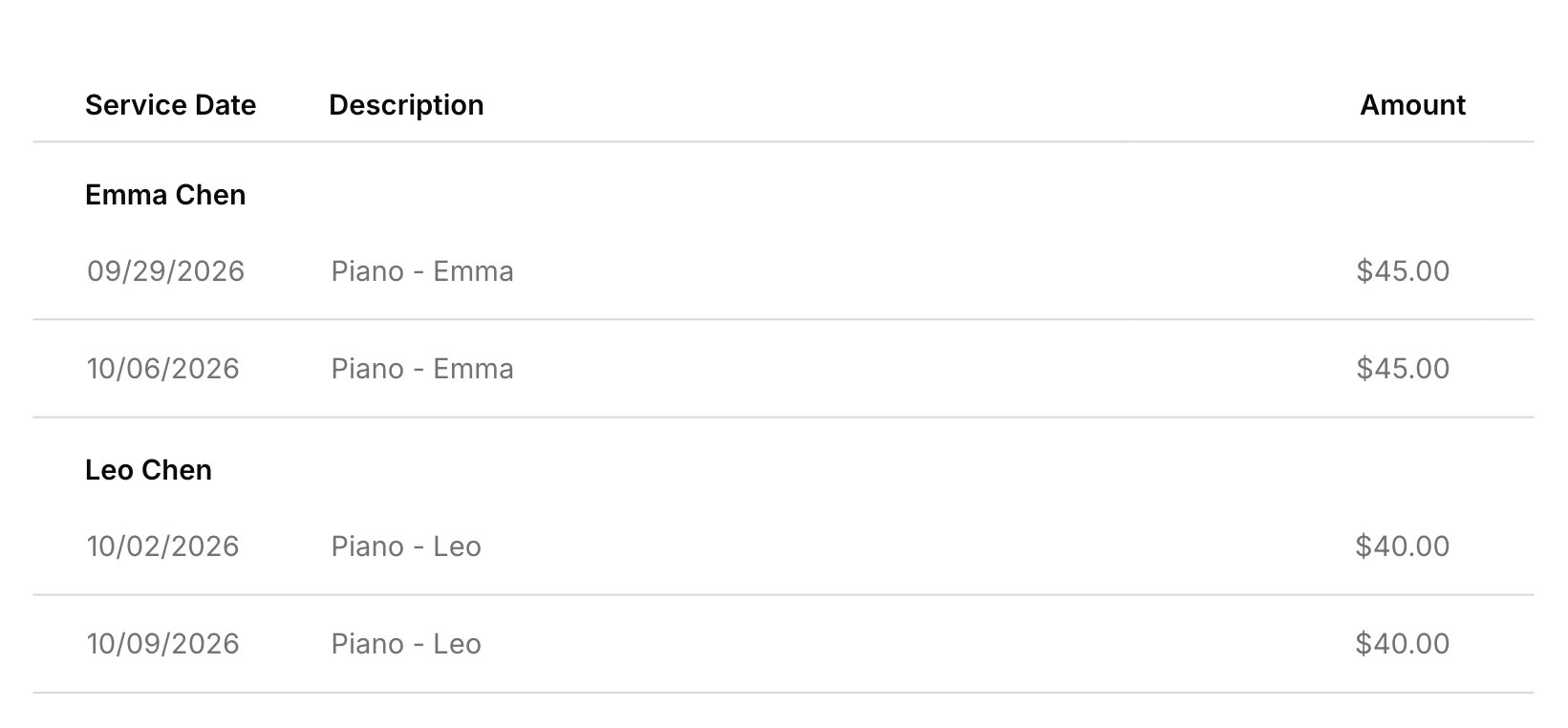
Attach charges adds charges waiting on the account, and Add item adds a line you type, like a book. On a family invoice, lines group under each student with their own subtotal.
4
Set terms and how to pay
Pick the terms, which set the due date, and check How to pay. In the Build tab, choose whether the family can pay online and which reminders go out.
5
Save and send
Click Save draft, then Send Now in the Manage tab.
What sending does
Sending emails the invoice and locks it. Everyone on the account gets their own email with the PDF attached, plus a Pay Now button when online payments are on for that invoice. Money held on the account and any studio credit come off, so an invoice can go out already paid. Each email shows on the account’s Messages tab. On the Hobby plan, invoices send without a pay button.Reminders
Reminders nudge families about invoices that still have money owed. Harness can email a reminder 3 days before the due date, on the day, and 3 days after. Automatic reminders start off, so turn them on in your invoice defaults. Each invoice keeps its own reminder choices, which start from your defaults and can be changed in the Build tab before you send. To nudge a family yourself, choose Send reminder on a sent invoice, up to once a day per invoice. Reminders by hand go one invoice at a time, so there’s no way to remind several at once. Reminders, automatic or by hand, are on the Professional plan (see Your plan).Fix or void
A sent invoice can’t change, so you fix one by voiding it and making a new one. Choose Void invoice, pick a reason, and confirm. The invoice stays in the list marked voided, and its charges go back to the account, ready for the next invoice. If it has payments, void them first (see Fix a payment). An invoice paid online can’t be voided; to give money back, see Refunds. A draft you no longer need can be removed with Delete invoice.When an invoice can’t send
An invoice whose email didn’t go out lands on the Failed tab. Open it with View/edit invoice, and the Manage tab shows why, often an address that can’t receive mail, with a Fix the email link to the account. You can still change the invoice itself, like its lines, notes, or recipients. Once it’s fixed, send it with Update and send, or choose Retry send from the list. For invoices automatic billing couldn’t send, see Automatic billing.Invoice defaults
Your defaults in Settings → Invoicing fill in each new invoice. Changing them doesn’t touch invoices already made.- Lesson terms: the terms, and so the due date, on invoices Harness drafts. On invoices you start yourself, pick the terms in the editor.
- Default payment instructions: what fills How to pay, like your Venmo handle or where to mail a check.
- Automatic reminders: which reminders new invoices start with.
- Invoice header: which studio details print at the top of the PDF, taken from your studio profile.
What your families see
Families get your invoices by email, from your name, with nothing to sign up for.- The email shows the amount due, the due date, and each line with its date, plus a Pay Now button when online payments are on. The PDF is attached.
- Reminder emails show what’s still owed, with the same button.
- The student portal shows sent invoices for their account, never drafts.
- If you send an invoice again from Messages, they get it as it stands today.
FAQ
Can I change an invoice I already sent?
Can I change an invoice I already sent?
No. Sending locks it, so void it and make a new one. Its charges come back to bill again.
Will the new invoice show what they still owe from last month?
Will the new invoice show what they still owe from last month?
No. An invoice lists only its own lines. Families see their full balance in the student portal, and you see it on the account.
Will the invoice show each lesson's date and cost?
Will the invoice show each lesson's date and cost?
Yes. Each lesson is its own line with its date and price.
Can I put my logo on invoices?
Can I put my logo on invoices?
No. The header is text only: your studio name and the details you pick under Invoice header.
Can I put a Zelle or Venmo QR code in the payment instructions?
Can I put a Zelle or Venmo QR code in the payment instructions?
No. How to pay is plain text, so type your Venmo handle or Zelle email instead.